Skip to content

Every device backed up.
Every change versioned.
Ready to recover.

PLCs, HMIs, SCADA systems, robots, CNCs, drives, and other automation devices keep production running, but their programs and configurations are often scattered across engineering laptops, network shares, OEM tools, and local storage.

Octoplant automatically backs up and versions industrial device configurations in one central system. When hardware fails, a change goes wrong, or an incident affects production, your team knows which version exists, what changed, and what to recover.

Industrial backup is different.

Capability What it means for your plant
Automated device backup Scheduled, unattended backup jobs reduce dependence on manual routines
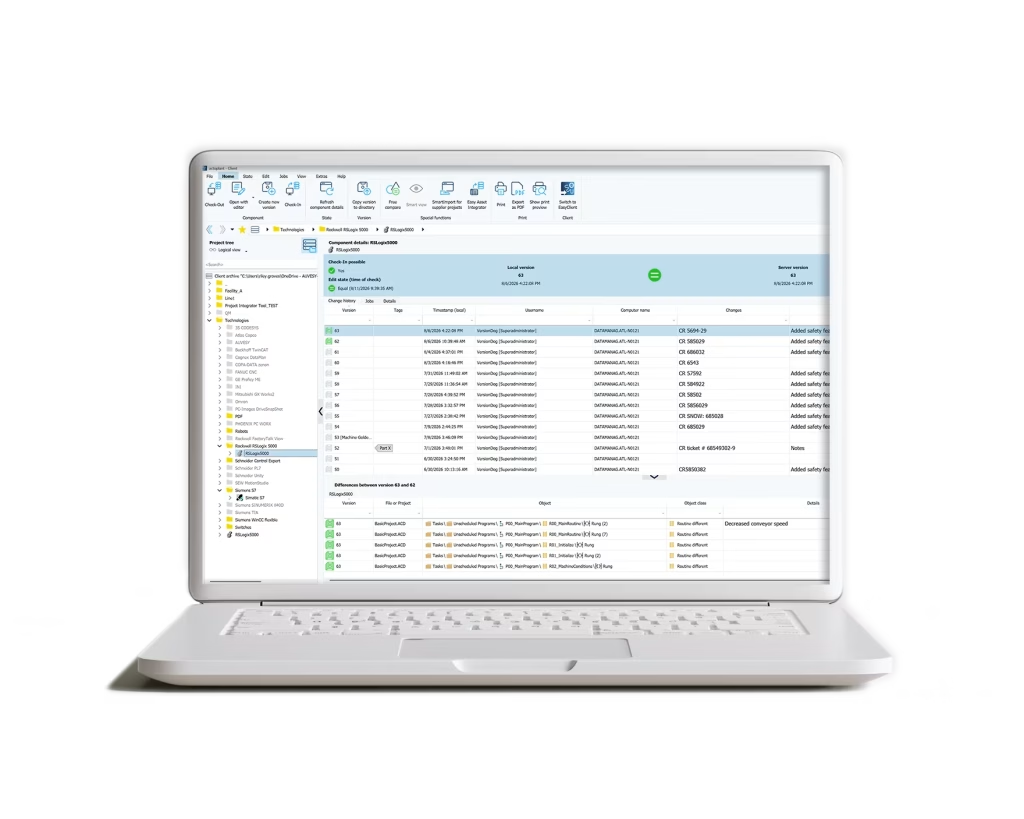
Version control Maintain complete histories of programs and configurations instead of overwriting previous states
Historical recovery Access the current or required historical version after failure, error, unwanted change, or attack
Current state Historical configuration states
SmartCompare Device-aware comparison makes meaningful configuration differences visible
Multi-vendor coverage Standardize protection across heterogeneous automation vendors, versions, and generations
Change history Document who changed what, when, where, and why
Central repository Keep backup and version data controlled and accessible from one system
Alerts & notifications Surface failed backup jobs, detected deviations, and unreachable devices

The right version, when every minute matters.

When a device fails during production, the recovery process shouldn’t begin with searching engineering laptops, USB sticks, network drives, or individual OEM applications.

Octoplant keeps device backups and historical versions centrally available so engineers can identify the required recovery state and access the data needed to restore production. The objective is simple: reduce the uncertainty between failure and recovery.

Hardware failure

Replace or rebuild a failed device using centrally available configuration and project data.

Human error

Return to a previous state when an incorrect parameter or program change affects production.

Unwanted change

Compare versions, identify the deviation, and determine the appropriate trusted state.

Cyber incident

Use historical configurations and change context to support recovery after affected systems have been contained.

Octoplant - OT Backup and recovery

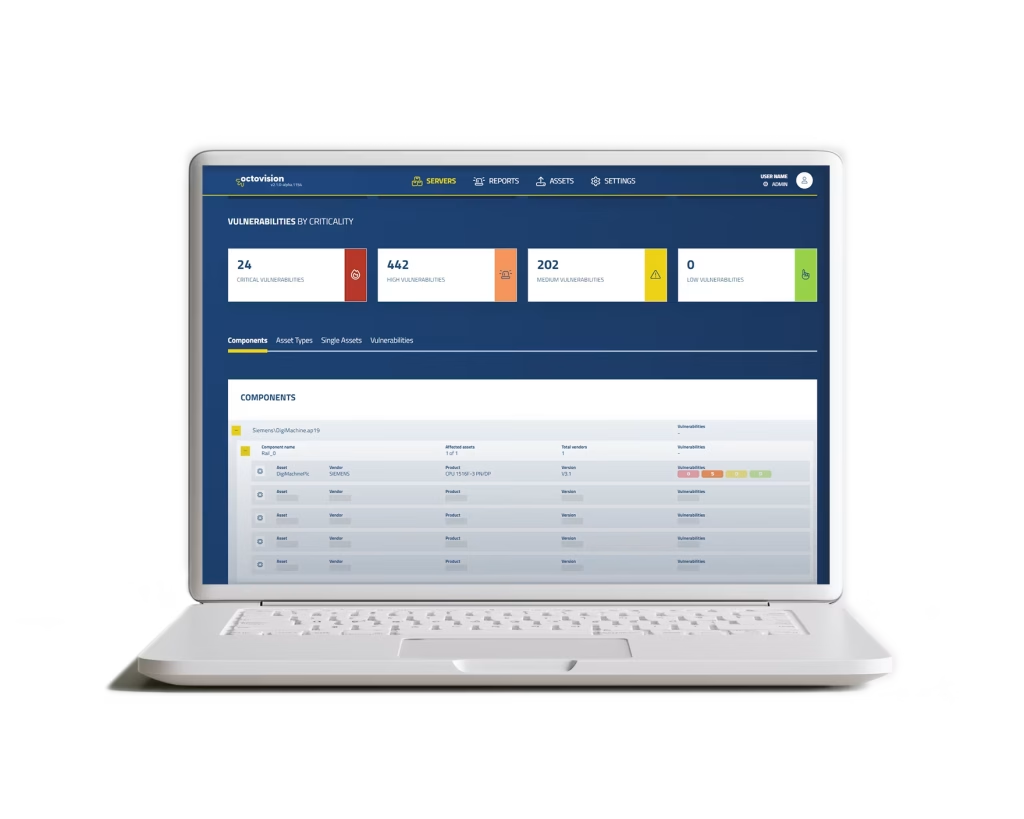
Octovision UI

One backup standard across the enterprise.

The real challenge for large manufacturers isn’t backing up one PLC. It’s establishing consistent protection across thousands of devices, multiple plants, different vendors, and local engineering teams.

Octoplant creates a common approach to backup, versioning, comparison, and recovery while allowing plants to continue operating heterogeneous automation environments.

With Octovision, that operational foundation can also contribute to enterprise visibility across assets, jobs, components, lifecycle information, vulnerabilities, and risk.

Plant-level control.
Enterprise-level visibility.


More about Octovision

Backup is
the beginning
of production resilience.

A backup protects a configuration. Production resilience requires more: knowing whether backups are current, understanding what changed, identifying the right recovery point, maintaining historical versions, and making recovery information available when production is under pressure.

That's why device backup is not an isolated Octoplant feature. It is the foundation for version control, change management, recovery, audit evidence, OT security, and broader production resilience.

You shouldn't discover a backup gap during an outage. Automated jobs, centralized histories, notifications, and enterprise visibility help teams understand where device protection is working — and where attention is required.
Explore Production Resilience & Recovery
Bring your devices, vendors, and environment.

Our team will show how Octoplant automates backup, identifies the right recovery point, and supports the systems you operate.
Schedule a live demo
Take control of recovery.

Choose your language